Small Business Management Software: Compare, Choose and Save

small business management software

What Is Small Business Management Software?
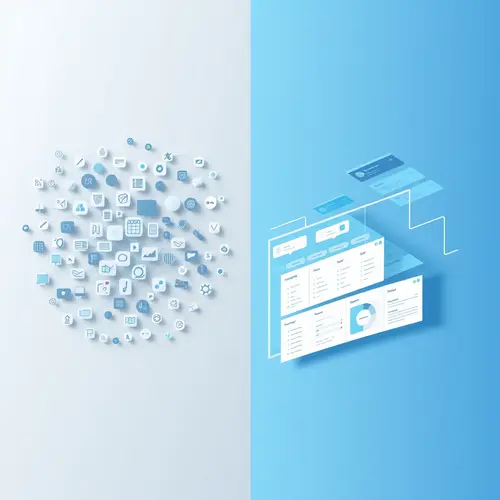
Small business management software is an all-in-one platform that centralizes core business operations—from customer relationship management (CRM) and invoicing to inventory tracking and project coordination. Unlike piecing together separate applications for each function, this software creates a single source of truth for your business data. The distinction between management software and basic productivity tools lies in integration depth. While standalone apps handle isolated tasks, management platforms connect workflows end-to-end. When a sales team member closes a deal, the system automatically updates inventory levels, triggers invoicing, schedules project timelines, and notifies relevant team members—without manual data transfer.Core Capabilities That Define Effective Solutions
Not all platforms deliver equal value. The most effective small business management software includes these foundational components that work in concert rather than isolation.Financial Management and Accounting Integration
Robust financial modules handle invoicing, expense tracking, and accounts receivable/payable. The system should connect directly with your bank accounts for automated transaction imports and reconciliation. Look for built-in tax calculation features and support for multiple payment gateways to reduce friction in the collections process. Integration with established accounting platforms like QuickBooks or Xero extends functionality without forcing you to abandon existing systems. This interoperability prevents the dreaded double-entry problem that plagues businesses using disconnected tools.Customer Relationship Management (CRM) Functionality
A comprehensive CRM module tracks every customer interaction—from initial contact through post-sale support. Sales pipeline visualization shows exactly where prospects stall, enabling targeted intervention. Automated follow-up reminders ensure no lead falls through the cracks. The CRM should capture communication history across all channels: emails, phone calls, live chat transcripts, and support tickets. This complete customer view empowers any team member to provide informed service without asking customers to repeat themselves.Inventory and Order Management
For product-based businesses, real-time inventory tracking prevents stockouts and overstock situations that drain capital. The system should automatically adjust quantities when orders are placed, alert you to reorder points, and track product movement across multiple locations or warehouses. Purchase order generation and supplier management streamline procurement. Integration with shipping carriers enables automated label printing and shipment tracking, creating a seamless fulfillment workflow from order to delivery.Project and Task Coordination
Built-in project management tools allocate resources, track time, and monitor deliverable progress. Gantt charts and kanban boards provide visual workflow representation that keeps distributed teams aligned. Time tracking features directly feed into billing for service-based businesses. Task dependencies ensure work flows in the correct sequence, while milestone tracking helps identify projects at risk of missing deadlines. Collaborative features like file sharing and comment threads reduce email clutter and keep project communication centralized.Selecting the Right Small Business Management Software for Your Operations
The abundance of options makes selection challenging. Focus on these practical criteria rather than feature checklists that look impressive but remain unused.Scalability and Growth Accommodation
Your chosen platform must scale without requiring migration to entirely different systems. Examine user limits, storage caps, and transaction volumes at each pricing tier. Understand upgrade paths and whether feature limitations at lower tiers will constrain operations before you’re ready to invest in higher-cost plans. Cloud-based small business management software typically scales more gracefully than on-premise solutions. Infrastructure adjustments happen automatically as your data and user needs expand, without requiring IT intervention or hardware purchases.Industry-Specific Customization
Generic platforms work for many businesses, but industry-specific solutions provide pre-configured workflows that match your operational reality. A construction company needs job costing and equipment tracking that an e-commerce retailer doesn’t require. Professional services firms need sophisticated time tracking and project billing that manufacturers can skip. Evaluate whether the platform supports custom fields, workflows, and reporting that align with your industry’s unique requirements. Excessive customization requirements often signal a poor fit that will create long-term maintenance headaches.Integration Ecosystem and API Accessibility
No single platform handles every business need perfectly. Strong integration capabilities let you connect specialized tools for functions like email marketing, e-commerce storefronts, or advanced analytics. Native integrations with popular business applications reduce implementation complexity compared to custom API development. Check whether the platform offers a public API with comprehensive documentation. This becomes essential when you need custom integrations or want to extract data for advanced analysis that the built-in reporting tools cannot provide.Software Feature Comparison Framework
| Capability Category | Essential Features | Advanced Features | Business Impact |
|---|---|---|---|
| Financial Operations | Invoicing, expense tracking, bank reconciliation | Multi-currency support, automated billing, financial forecasting | Accelerates cash flow, reduces accounting errors |
| Customer Management | Contact database, interaction history, basic pipeline tracking | Lead scoring, automated workflows, predictive analytics | Increases conversion rates, improves customer retention |
| Inventory Control | Stock level tracking, low-stock alerts, basic reporting | Multi-location management, lot tracking, demand forecasting | Optimizes working capital, prevents stockouts |
| Team Collaboration | Task assignment, file sharing, basic messaging | Resource allocation, time tracking, capacity planning | Improves project delivery, increases billable utilization |
| Reporting & Analytics | Standard financial reports, sales dashboards | Custom report builder, predictive modeling, data export | Enables data-driven decisions, identifies growth opportunities |
Software Implementation Strategies That Minimize Disruption
Software selection represents only half the challenge. Implementation determines whether your investment delivers projected returns or becomes expensive shelfware.Phased Rollout Versus Big Bang Deployment
Resist the temptation to activate all features simultaneously. Start with your most critical pain point—typically financial management or CRM. Master that module before adding complexity. This staged approach lets your team build confidence and develop best practices that inform subsequent implementations. Data migration presents the highest risk during implementation. Clean your existing data before import rather than transferring years of duplicates, incomplete records, and outdated information. Most platforms offer migration assistance, but data quality remains your responsibility.Training Investment and Change Management
Budget both time and money for comprehensive training. Plan for initial training sessions plus ongoing support as team members discover advanced features. Designate internal power users who can answer questions and share tips, reducing dependence on vendor support. Expect productivity dips during the first 30-60 days as teams adjust to new workflows. This temporary decline is normal and typically reverses as users gain proficiency. Communicate this expectation to prevent premature abandonment when early adoption feels rocky.Software: The Hidden Cost of “Good Enough” Solutions
Many small businesses cobble together free or cheap tools thinking they’re being financially prudent. This software often costs more than investing in proper small business management software from the start. The hidden costs accumulate quickly. Manual data transfer between disconnected systems wastes hours weekly. Version control problems and lost information create customer service failures. Lack of real-time visibility means you discover problems too late to prevent damage. A common myth suggests small businesses should wait until they “grow into” sophisticated software. This backward thinking ignores how proper systems enable growth. Companies using integrated management platforms typically scale faster because operational efficiency frees resources for revenue-generating activities rather than administrative firefighting. The counterintuitive reality: investing in robust small business management software when you’re small positions you to grow profitably. Waiting until chaos forces your hand means implementing under pressure—the worst possible conditions for successful adoption.Security and Compliance Considerations
Data breaches and compliance violations carry consequences that can destroy small businesses. Your management software must protect sensitive financial data, customer information, and proprietary business intelligence. Look for platforms with SOC 2 Type II certification, demonstrating independently audited security controls. Encryption should protect data both in transit and at rest. Role-based access controls let you limit sensitive information to authorized personnel only. Compliance requirements vary by industry and location. Healthcare businesses need HIPAA compliance. Companies processing credit cards require PCI DSS standards. Businesses in certain states must comply with data privacy regulations. Verify that your chosen platform meets applicable regulatory requirements before committing.Measuring Return on Investment
Track specific metrics to quantify your software investment’s value. Time saved on administrative tasks converts directly to cost reduction or revenue-generating capacity. Error reduction in invoicing and inventory management prevents revenue leakage. Customer satisfaction improvements often follow implementation as response times decrease and service consistency increases. Sales cycle compression happens when teams access complete customer information instantly. These improvements compound over time, making the investment increasingly valuable. Calculate your break-even point by comparing monthly software costs against measurable savings and productivity gains. Most businesses reach break-even within 6-9 months when they fully utilize core features.Taking Action on Your Business Management Software Selection
Begin your evaluation by documenting current pain points and workflow bottlenecks. Survey your team about which tasks consume disproportionate time for minimal value. This assessment reveals where small business management software will deliver the greatest immediate impact. Request trials or demos from shortlisted vendors. Test the platform with your actual real data and workflows, following SBA guidance for managing a business, rather than sanitized demonstration scenarios. Involve team members who will use the system daily in the evaluation process—their buy-in proves essential for successful adoption. Remember that perfect platforms don’t exist. Prioritize capabilities that address your most pressing needs while ensuring the platform can grow with you. Making a solid choice now positions your business for sustainable growth without the operational chaos that typically accompanies expansion.Related reading: Zoho app guide and 0Ne View data tactics.
Further reading on this site:
- business strategy guide
- how seo for business
- Google tools for business
- google tools for business
- smart business automation strategies
- automate your ecommerce business
- how automation small businesses
- smart business automation services
What is small business management software?
Small business management software combines accounting, CRM, inventory, and scheduling in one platform. It replaces scattered spreadsheets so owners see cash flow, orders, and staff workload in a single dashboard.
How do I choose the right small business management software?
Start from your biggest bottleneck, shortlist three vendors, and run trials on your real data. Compare total cost including setup and support. Pick the tool your team will actually use daily.
How much does small business management software cost?
Plans run from free tiers to roughly $15-100 per user monthly, plus setup fees. Small business management software pays off when it removes duplicate admin work. Always confirm renewal pricing in writing.
In short, small business management software works best when you start lean and review results monthly.
About James Anderson
James Anderson covers business software since 2020, testing 80+ tools on pricing, features, and support to help teams pick systems that scale.
More guides by James Anderson →